Your operational hub
for every website you manage.

Monitor uptime, SSL, domains and performance — while keeping contacts, runbooks, DNS and operational knowledge in one place.
Get alerted the moment something needs your attention.
Setup in 60 seconds No credit card Cancel anytime
Slack Discord Email SMS
Everything in one place

Every detail about every site, in one place.

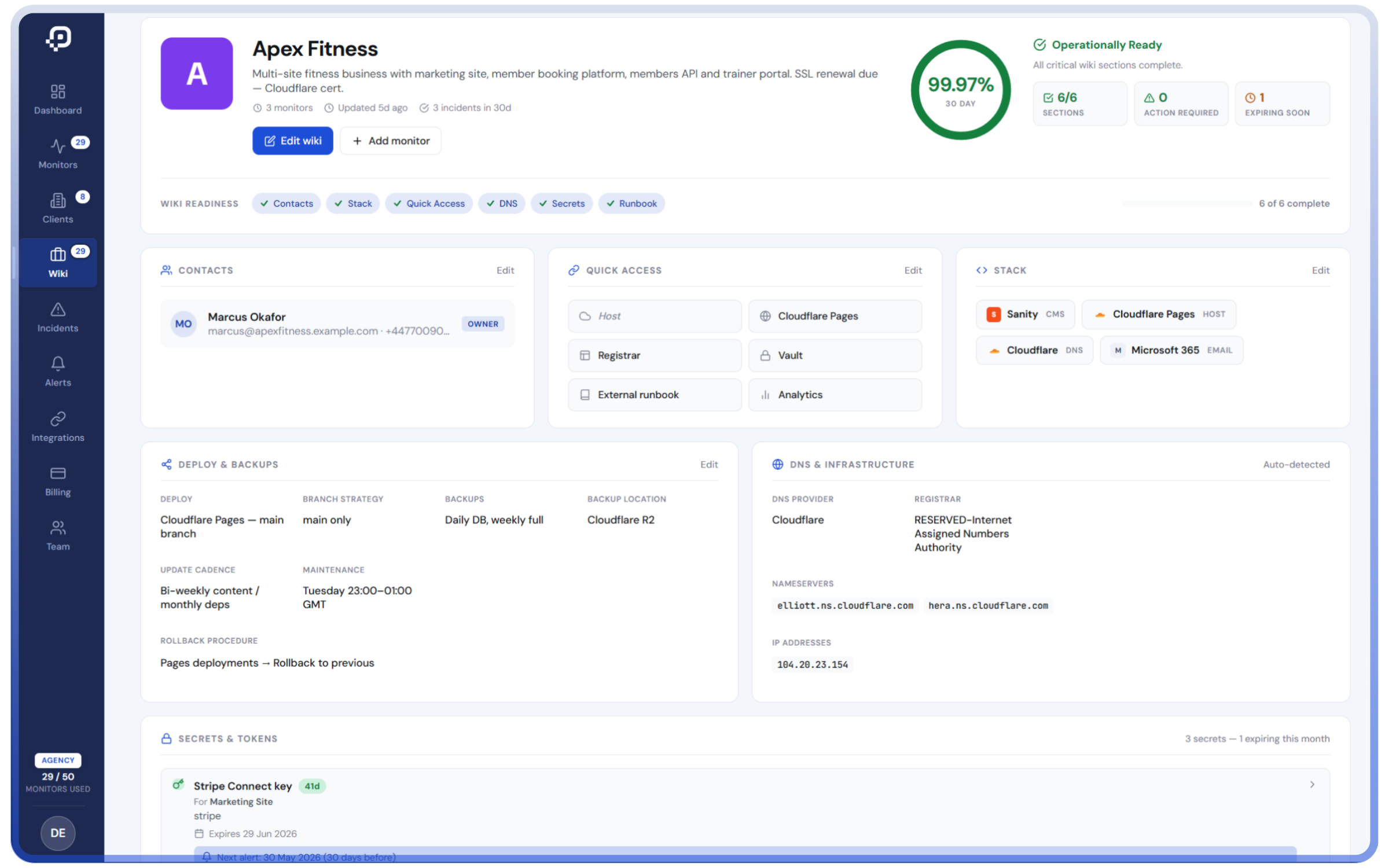
Tech stack, contacts, credentials, runbooks, DNS info — searchable, current, and shared with your team.

No more spreadsheet hunts. No more "who has the AWS login?" Slack threads.

Tech stack · CMS, hosting, DNS, email, analytics
Contacts · the right people for every site
Credentials & API keys · friendly names with expiry alerts
Runbooks · documented procedures per site
How it works

From signed up to alerted in 60 seconds.

No agents to install. No servers to configure. Add a URL, choose your alerts, get on with your day.

1
Add your sites
Paste in URLs or import from a list. Group them by client if you manage many.
2
We check every minute
Uptime, SSL, domains, response times — checked from global edge nodes 24/7.
3
Get alerted
Site down, SSL expiring, API key rotating — alerts land in Slack, Discord, email or SMS.
4
All in one place
Site stack, contacts, credentials, runbooks — every detail about every site you manage, ready when you need it.
The product

More than uptime monitoring.

Everything you need in one platform so you stop juggling tools.

Uptime monitoring
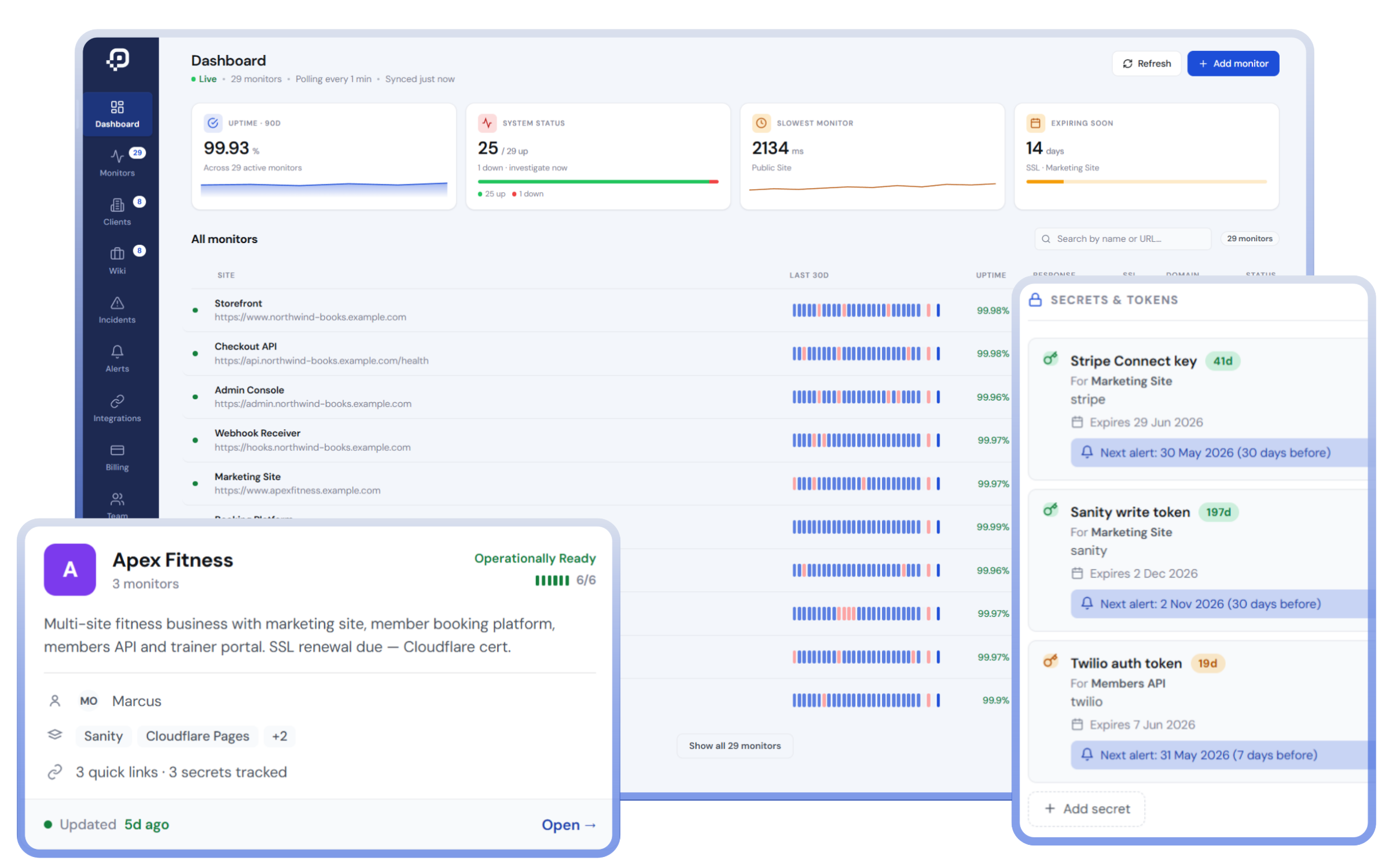
Global edge checks every 60 seconds. Multi-region verification before flagging downtime.
SSL & domain tracking
Know weeks in advance when certificates and domains are about to expire. No surprises.
Site Wiki
One place per site for tech stack, contacts, runbooks, links — searchable and shared with your team.
API key & secret tracking
Friendly names with expiry dates. Get alerted 30, 7 and 0 days before a key needs rotating.
Multi-channel alerts
Slack, Discord, email and SMS — pick what works for your team. Different routes for different urgencies.
Incidents & history
Full timeline of every outage, slow response, and alert sent. Long retention on agency plans.
Who it's for

Built for teams managing more than one site.

If you're juggling multiple sites for clients, customers or internal teams, you've outgrown basic uptime monitoring.

Agencies
Manage uptime, secrets and operational knowledge across every client site you build or maintain.
Per-client wikis with full context
Track every API key & SSL cert
One bill, every client covered
MSPs
Roll up monitoring, secret rotation, and incident history into one operations dashboard you can show clients.
Long retention for compliance reporting
Per-client incident history at a glance
Runbooks per client, not per ticket
IT teams & devs
Keep your team's institutional knowledge in one place — not lost in Slack threads, ex-employee inboxes, or spreadsheets.
Track every internal & customer-facing site
Document API keys and licences in one place
Onboard new team members in minutes
Pricing

Simple. No surprises.

Free plan needs no card. Cancel anytime.

Free
£0 / month

Try it, no commitment.

  • 1 website monitored
  • 5-minute uptime checks
  • Email alerts · 1 contact
  • SSL + domain expiry alerts
  • 7-day uptime history
Starter
£4 / month

Great for personal use.

  • 3 websites monitored
  • 5-minute uptime checks
  • SMS + email alerts · 2 contacts
  • SSL + domain expiry alerts
  • Site Wiki
  • 7-day uptime history
Agency
£39 / month

Built for agencies & MSPs.

  • 50 websites monitored
  • 1-minute uptime checks
  • SMS + email alerts · 10 contacts
  • SSL + domain expiry alerts
  • Site Wiki + Secrets tracking
  • 90-day uptime history

Monitoring 50 client sites on the Agency plan? That's £0.78 per client per month.

FAQ

Questions, answered.

How is PingBlitz different from UptimeRobot or BetterStack?

Most monitoring tools tell you when your site goes down. PingBlitz does that — and also tracks SSL expiry, domain renewal dates, API key rotations, and gives every site its own operational wiki with tech stack, contacts, credentials and runbooks.

The result: when something needs fixing, your team has the context to do it without digging through five tools.

Do you require an agent on my servers?

No. PingBlitz checks your sites from global edge nodes via HTTPS, the same way real visitors do. Add a URL and we start monitoring within seconds — no installation, no SSH, no firewall rules.

Can I use PingBlitz for client work as an agency?

Yes — that's a core use case. The Agency plan covers 50 monitors with 90-day history and per-client wikis, so you can keep separate tech stacks, contacts, secrets and runbooks for every client you manage.

That works out at £0.78 per client per month on a fully-loaded Agency plan.

Where is my data stored?

PingBlitz runs on Cloudflare's global infrastructure with data stored in the EU (London region). For wiki content we recommend storing friendly names and references — not raw secrets — and we surface a reminder banner in the Site Wiki to that effect.

Can I export my data?

Yes. You can export your monitors, incidents, and wiki content as JSON or CSV at any time. No lock-in.

What happens if I cancel?

You're moved back to the Free plan at the end of your billing period. Your data stays accessible — monitors above the Free limit get paused but not deleted. Reactivate any time.

Do you offer a free trial?

The Free plan is permanent — no card required, no trial expiry. Upgrade when you outgrow it. Paid plans also offer a 14-day money-back guarantee if it's not the right fit.

Who runs PingBlitz?

PingBlitz is built and run by a small team in the UK. Real humans on support, real release notes, no AI customer service mazes.

Start monitoring in 60 seconds.

Free plan, no credit card. Upgrade when you need to.